Schema Libraries
We've successfully entered our Intended Use Statement in the Database under our product. This page will explain where said database comes from, and therefore, we will talk about Schema Libraries and Schemas.
Understanding Schema Libraries
You will find schema libraries under "Schema Libraries" in Your Products section. In there, you will find several libraries that we already provide you with.
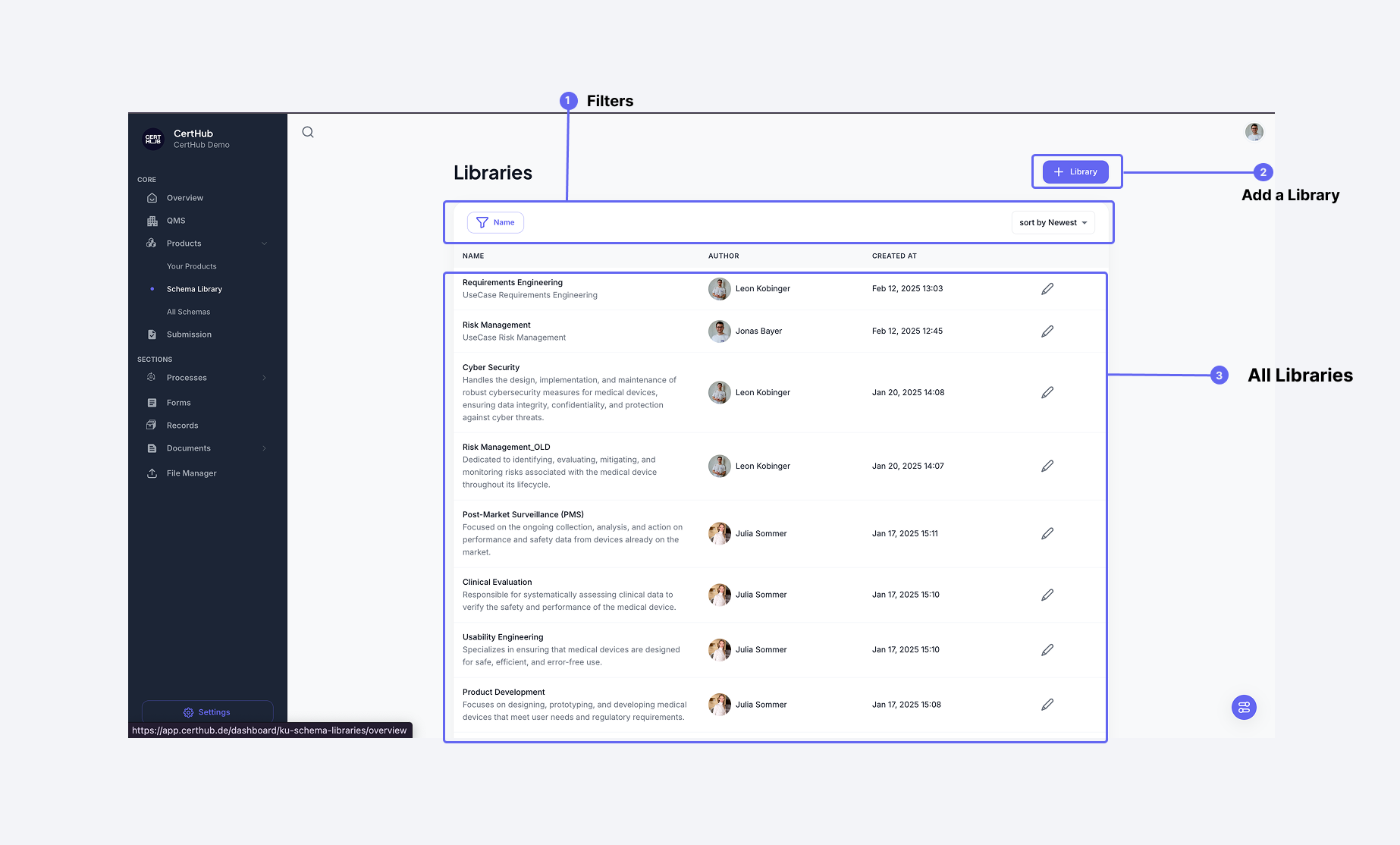 The Schema Library interface shows how the databases are organized.
Let's look at an example: the Library of Device Details. In there, you will find something called a Device Description, and looking into the Device Description, we will find an Intended Use again.
The key difference here is that all of these data points are not connected to a product. They mainly serve as structure, hence they are called Knowledge Unit Schemas and Knowledge Topic Schemas.
The Libraries and their underlying KU and KT schemas can be used under a Product.
Example
If you have a Hardware Product (e.g., a Sterilizer 20A) and a SaMD (e.g., a MediReason Clinical Engine), then the Sterilizer might need information about Sterility, and the MediReason Clinical Engine will need information about Software Architecture—but not vice versa. The Libraries, however, will hold both pieces of information, as they provide Products with structure.
Import and Export
You can export a whole Library (including all its Knowledge Unit schemas) as a zip file including many JSON files. These JSON files can be imported again as a schema.
For detailed information about importing and exporting schemas, see the Import & Export Guide.
Key Takeaways
- Libraries and their schemas build the database structure that can be used for Products
- Libraries should not contain actual Product Data
- Libraries are provided by us, but you can edit, add, or delete any library or its schemas as you wish
- The Database under Product (remember where we actually entered the Intended Use) will reflect the libraries. This means, if you add the KU schema Device Description to your Product, it will be organized into the section called Device Details, because the respective counterpart for the Device Description KU lies under the library Device Details